End User Guide
EOHLC Yardi Rent Café Registration and Waitlist Purge
Landlord
How to register your account
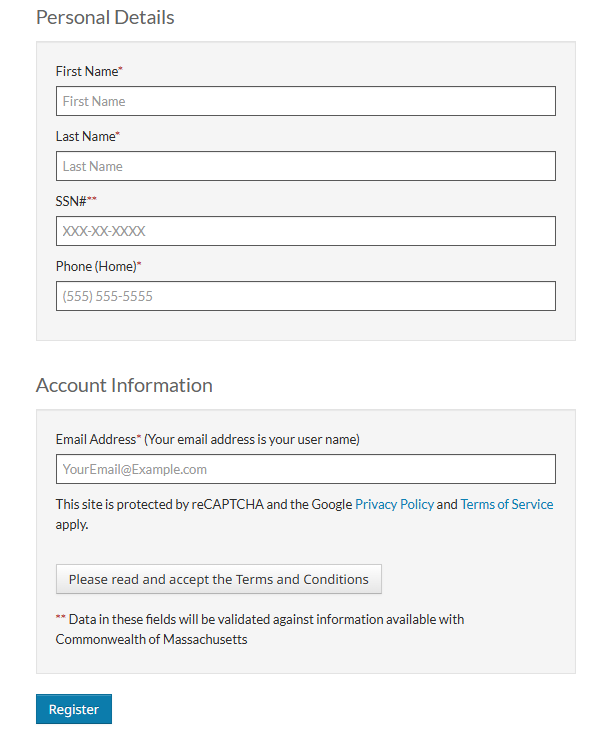
1. Go to Mass.gov/LandlordPortal
2. Select “Create an account”
3. Enter registration code: 26299-LXVXXXX. If the registration code is unknown, AffordableHousing.com can assist at (855) 492-8974
4. Confirm the name, email, and Tax ID/SSN associated with the account
5. Choose an account nickname
6. Click register
If you have any questions about accessing the portal, please call AffordableHousing.com support at855-492-8974.
Landlord
How to see other units which aren't being shown in account
1. Select "Link Another Registration Code" tile (you may see more or less tiles)
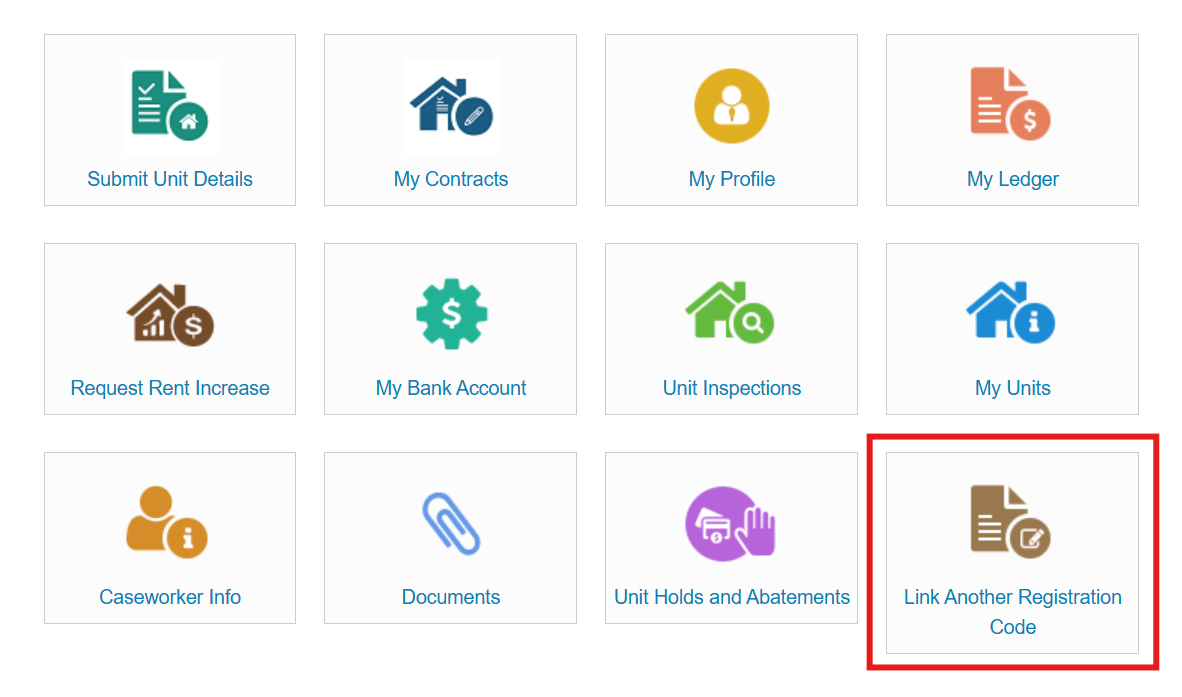
2. Enter the registration code on the letter from EOHLC. You can call (855) 492-8974 if you don’t know your registration code
3. Enter Full Name or Business Name in “Last Name”
4. Enter Tax ID or SSN
5. Enter email address and phone number. Use the same email and phone number for all acounts being linked
If you have any questions about accessing the portal, please call AffordableHousing.com support at 855-492-8974.
Landlords
How to change account Nickname
1. Select "My Profile"
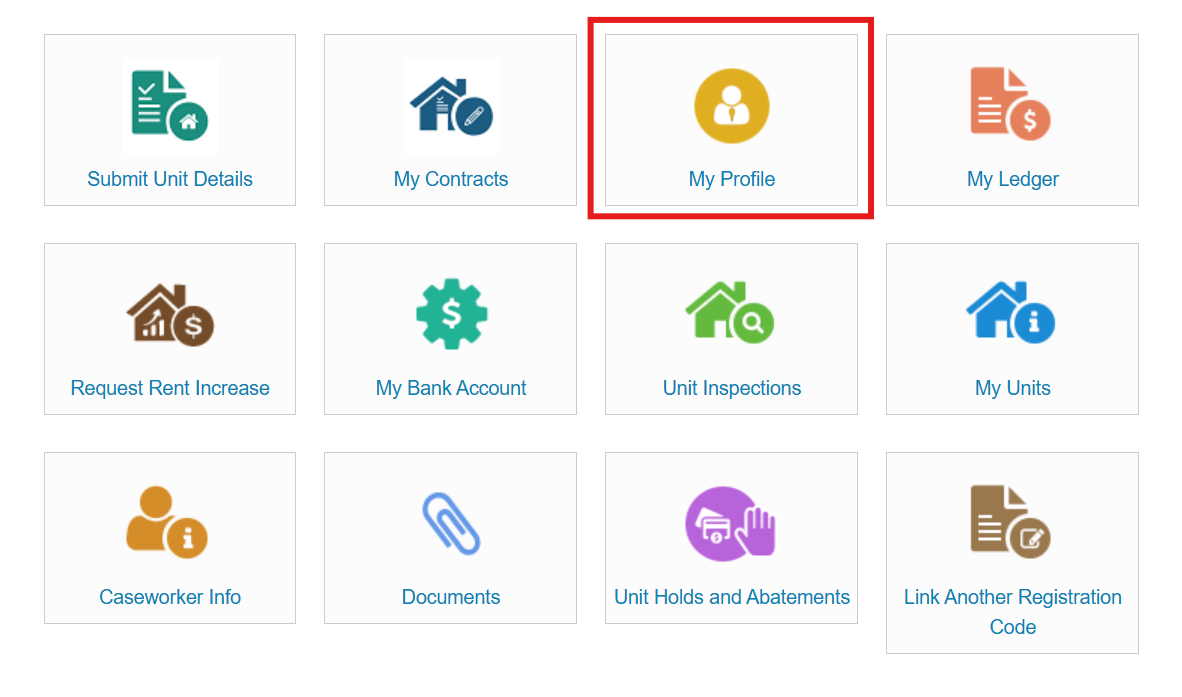
2. Select the account you’d like to alter in the top right
3. Select Edit Profile at the bottom of the screen
4. Change the text in “Account Nickname"
If you have any questions about accessing the portal, please call AffordableHousing.com support at 855-492-8974.